NaniNovel Save Editing: Complete Guide to .nson Files
Introduction to NaniNovel Save Files
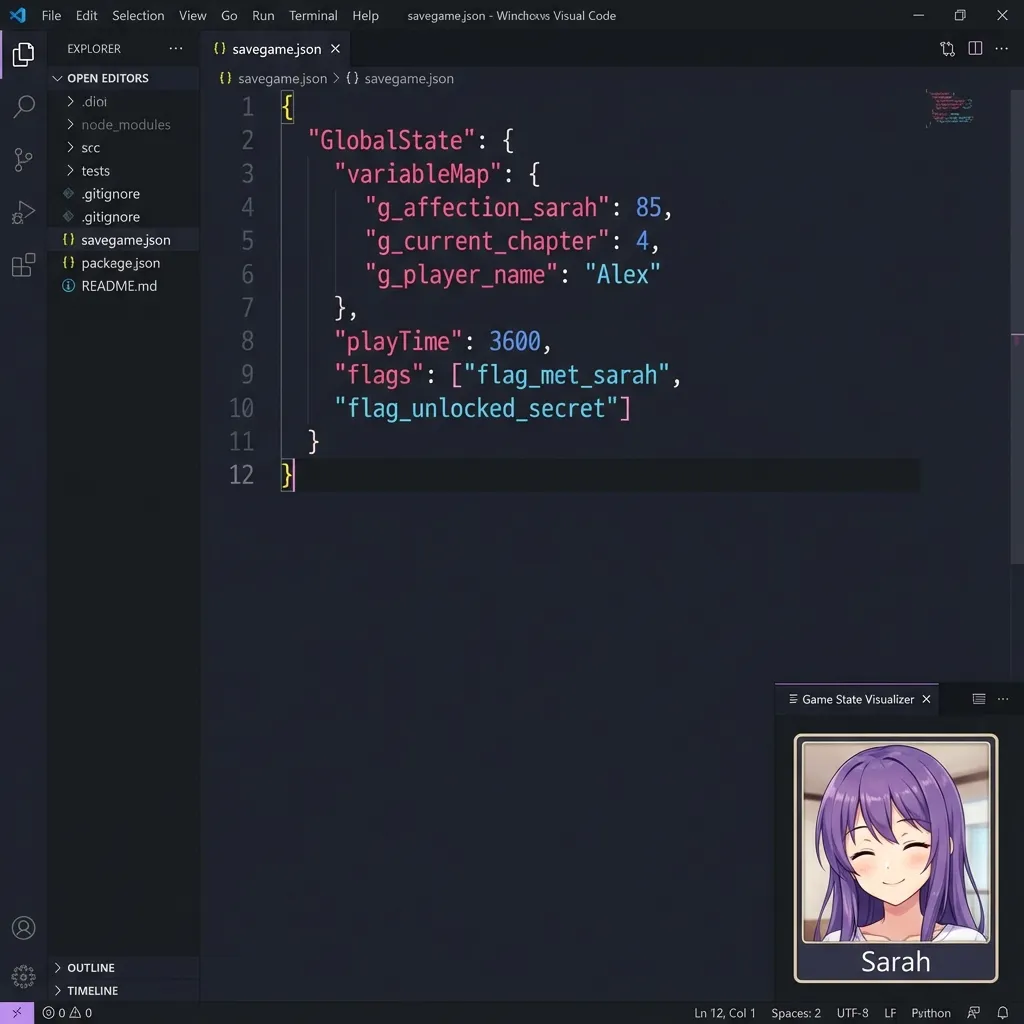
NaniNovel is a powerful Unity-based visual novel engine that has gained significant popularity among indie developers and studios. Unlike traditional Unity saves, NaniNovel uses its own proprietary NSON format (.nson files) for storing game state, which requires specialized handling.
This comprehensive guide will teach you everything you need to know about editing NaniNovel save files – from understanding the file format to safely modifying your game progress.
Understanding the NSON File Format
NaniNovel’s NSON format is essentially compressed JSON data. Here’s what makes it unique:
Technical Structure
┌─────────────────────────────────┐
│     Raw DEFLATE Compressed      │
│         (No zlib header)        │
├─────────────────────────────────┤
│                                 │
│        JSON Game State          │
│    - Global Variables           │
│    - Script Position            │
│    - Choice History             │
│    - Unlocked Content           │
│                                 │
└─────────────────────────────────┘
Key Characteristics
- Raw DEFLATE Compression: Unlike standard zlib, NSON uses raw DEFLATE without headers
- JSON Core: The underlying data is standard JSON, making it human-readable once decompressed
- UTF-8 Encoding: All text is stored in UTF-8 format
- No Encryption: NaniNovel does not encrypt save files by default
What’s Inside a NaniNovel Save?
When you decompress an NSON file, you’ll find a structured JSON object containing:
Global State Variables
{
  "GlobalState": {
    "variableMap": {
      "g_affection_sarah": 85,
      "g_story_chapter": 3,
      "g_ending_unlocked": true,
      "g_coins": 1500
    }
  }
}
Script Execution State
- Current Script: Which script file is being executed
- Script Line: Exact position in the narrative
- Rollback History: Stack of previous states for undo functionality
Player Choices
- Choice History: Record of all player decisions
- Branch Flags: Which story branches have been visited
- Unlocked Galleries: CG images and extras that have been unlocked
Step-by-Step Editing Guide
Step 1: Locate Your Save File
NaniNovel save files are typically stored in:
Windows:
%AppData%\..\LocalLow\[CompanyName]\[GameName]\Saves\macOS:
~/Library/Application Support/[CompanyName]/[GameName]/Saves/Linux:
~/.config/unity3d/[CompanyName]/[GameName]/Saves/Step 2: Create a Backup
Before any modification, always backup your save files:
cp GlobalSaveSlot.nson GlobalSaveSlot.nson.backup
cp SaveSlot0.nson SaveSlot0.nson.backup
Step 3: Upload to Our Editor
- Navigate to our NaniNovel Save Editor
- Drag and drop your
.nsonfile into the upload area - Wait for automatic decompression and parsing
The editor will display the JSON structure in an easy-to-navigate tree view.
Step 4: Modify Values
Common modifications include:
Modify Affection/Relationship Points
Look for variables prefixed with g_affection_ or similar:
"g_affection_character1": 50 → "g_affection_character1": 100Unlock All Endings
Find ending flags and set them to true:
"g_ending_a_unlocked": false  →  "g_ending_a_unlocked": true
"g_ending_b_unlocked": false  →  "g_ending_b_unlocked": true
Add In-Game Currency
Locate currency variables:
"g_coins": 100 → "g_coins": 99999Step 5: Download and Replace
- Click Download Modified Save
- Replace the original file with the modified version
- Launch the game and verify your changes
Advanced: Multiple Save Formats
NaniNovel supports multiple save formats depending on game configuration:
| Format | Extension | Compression | Our Support |
|---|---|---|---|
| NSON (Default) | .nson | Raw DEFLATE | ✅ Full |
| JSON (Debug) | .json | None | ✅ Full |
| Base64 JSON | .json | Base64 | ✅ Full |
| Gzip JSON | .json | Gzip | ✅ Full |
Our editor automatically detects and handles all four formats.
Troubleshooting Common Issues
Save File Not Loading
Symptom: Game shows “Corrupted Save” error
Solutions:
- Ensure you’re editing the correct save slot
- Verify JSON syntax is valid (no missing commas or brackets)
- Restore from backup and try again
Changes Not Appearing
Symptom: Modifications don’t reflect in-game
Possible Causes:
- Cloud Save Conflict: Disable Steam/Unity Cloud sync
- Wrong File: NaniNovel uses separate files for global vs slot saves
- Cache: Some games cache save data in memory
Variable Names Unknown
Symptom: Can’t find the variable you want to change
Tips:
- Check the game’s documentation or community wikis
- Make a change in-game and compare save files
- Variable names often follow patterns like
g_[category]_[name]
Related Tools and Resources
For more advanced save editing needs:
- Unity PlayerPrefs Editor – For games using standard Unity saves
- Ren’Py Save Viewer – For Python-based visual novels
- Save File Extensions Guide – Learn about all save formats
Conclusion
NaniNovel’s NSON format, while using compression, is fundamentally accessible once you understand its structure. Our online editor handles the technical complexity of decompression and recompression, letting you focus on making the changes you want.
Remember to always backup your saves, and if you encounter any issues or have suggestions for improving our NaniNovel support, please contact us.
Happy editing!
Further Reading
Expand your visual novel save editing knowledge:
- 📖 NaniNovel Official Documentation - Official engine documentation
- 🎮 DDLC Game Page - Another popular visual novel
- 📂 Common Save File Extensions - Understanding .nson and other formats
- 🔧 NaniNovel Editor - The online tool used in this guide
- 🎭 Ren’Py Save Editing Guide - Python-based visual novel engine
Last updated: January 2026
Related Articles
Ready to edit your save file?
Use our free online editor to modify your game saves instantly.
Launch Save EditorRelated Articles
How to Edit RPG Maker MV Save Files (.rpgsave) - Complete Guide
A complete guide on how to edit RPG Maker MV save files using our free online tool. Modify gold, stats, items, and variables easily. Works for MV and MZ.
How to Edit Unity PlayerPrefs and XML Saves - Complete Guide
A complete guide to modifying Unity game save files on Android, iOS, and PC. Learn how to edit PlayerPrefs, XML, JSON, and Plist files for any Unity game.